

Ausmed is a Trusted Information Partner of Healthdirect Australia. Verify here.


© 2026 Ausmed Pty Ltd (ABN: 33 107 354 441)
Training plans assign by role, reminders escalate to managers without you, and Ausmed reports completion by site and role. Your week goes on induction, competency sign-off and face-to-face training on the floor.
Book a walkthroughIn a lot of organisations, L&D is one person, or two, for every home and every service.

Training plans by role and site, re-issued on the cycle you set, with reminders that escalate to managers.

Ausmed enrols new starters in their induction plan by role and location the day you add them.

Modules online and practical sign-off in person with Ausmed Competency™, both on the worker's record for Action 2.9.6.

Book sessions from one calendar in Ausmed Events, and mark attendance on a phone straight to the record.

Ausmed maintains Ausmed Library™ content in Australia, with a review date on every resource.

Knowledge Verification Impact Insights and the Regulatory Standards report, for the review Action 2.9.5 asks for.
Training plans in Ausmed Learn™ assign requirements by job role, team and location, and repeat on the frequency you set. Start from a template, such as mandatory induction, and adjust it to your roles.
A new personal care worker at one home and a registered nurse at another each get the requirements for their role without anyone assigning them by hand.
Ausmed reminds workers before a requirement is due and again once it's overdue, and the reminder escalates to their manager, so you aren't the one sending it.
How learning management works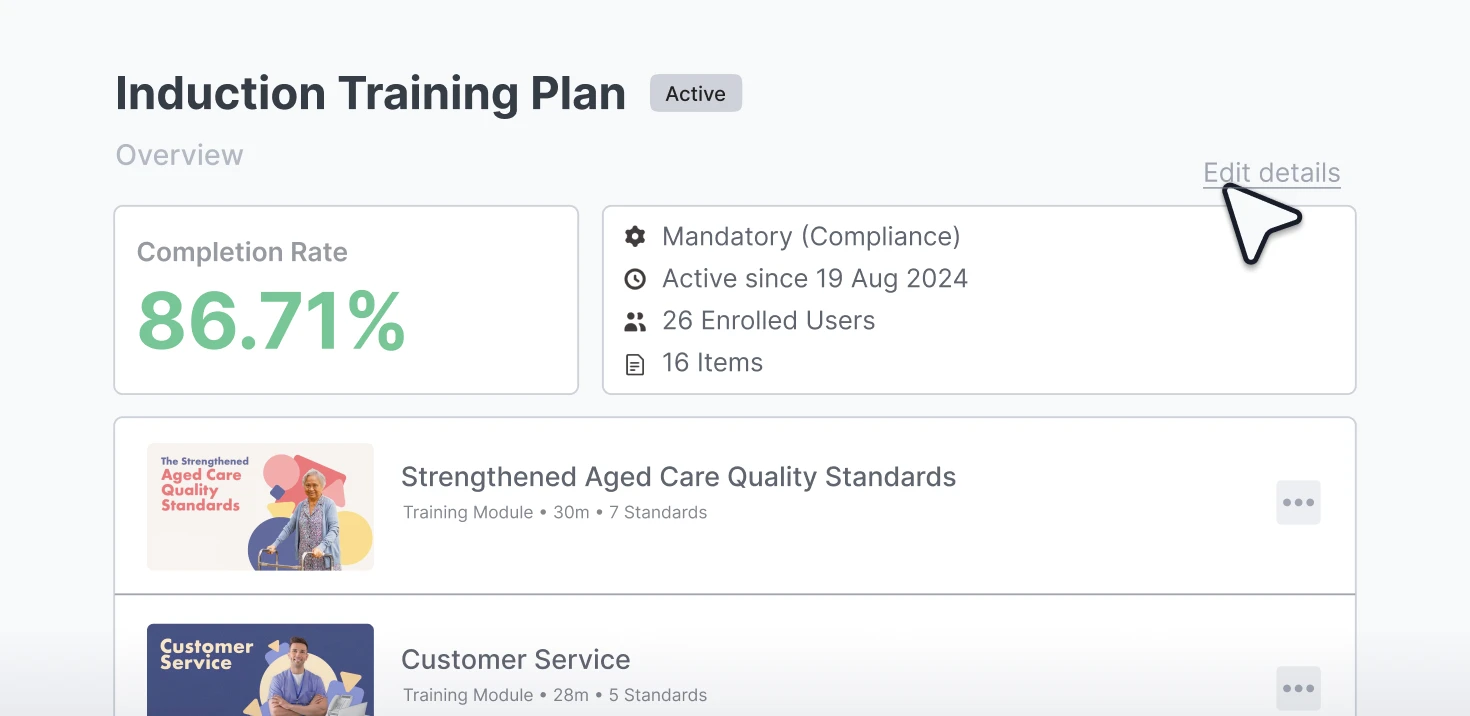
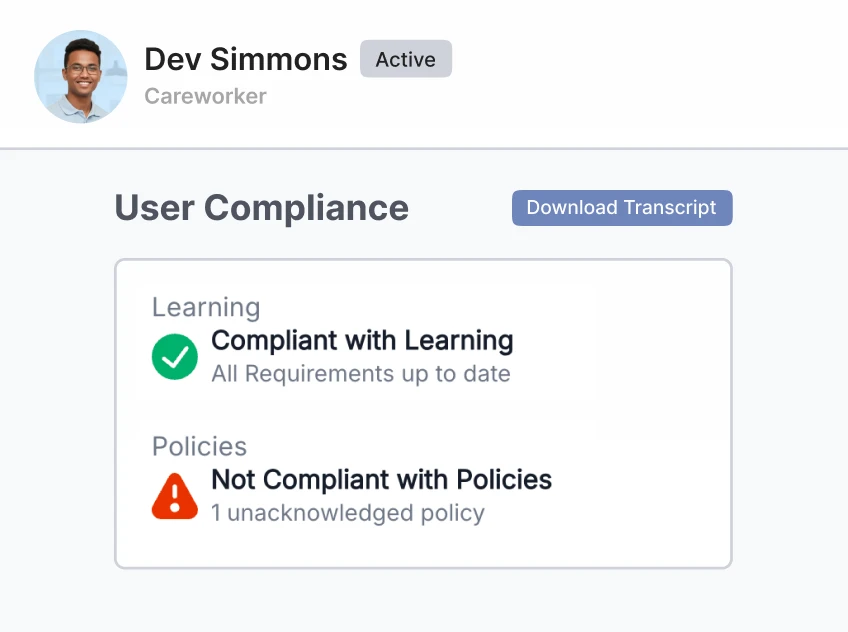
The Workroom shows everyone who hasn't completed a requirement by its due date. From that one list, send a reminder, grant an extension, mark something complete or skip a requirement that doesn't apply.
Facility managers can work the same list for their own teams, so you stop being the only person who can act on it.
See compliance reportingKnowledge Verification gives a worker a short check against a module's learning outcomes before they start it. A pass marks the module complete and creates a learning record.
Staff who already know the material stop sitting through it every year, and their hours go to the training they need.
Ausmed's governance team chooses the eligible modules, starting with lower-risk topics, so staff still complete training such as SIRS in full. You set the pass mark, and you can limit Knowledge Verification to particular roles or locations.
How learning management works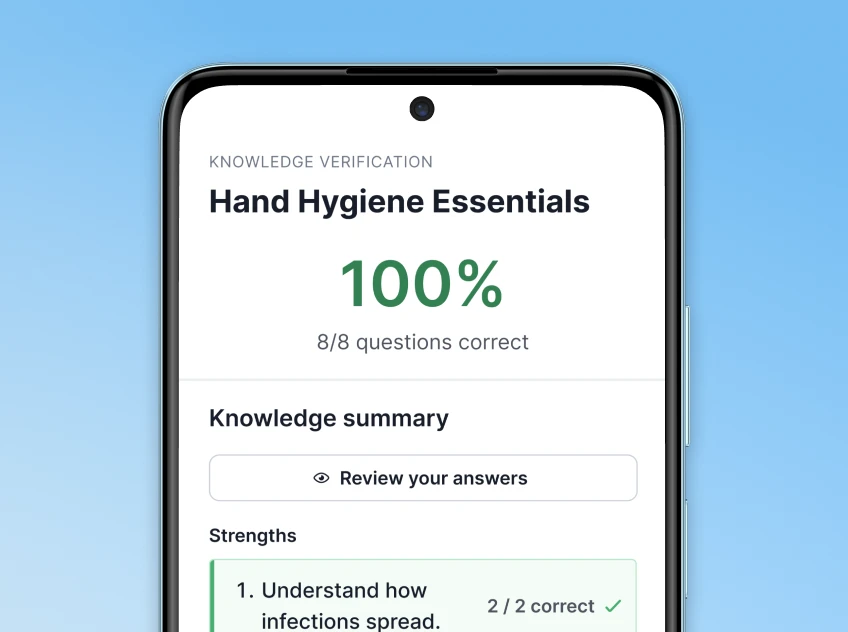
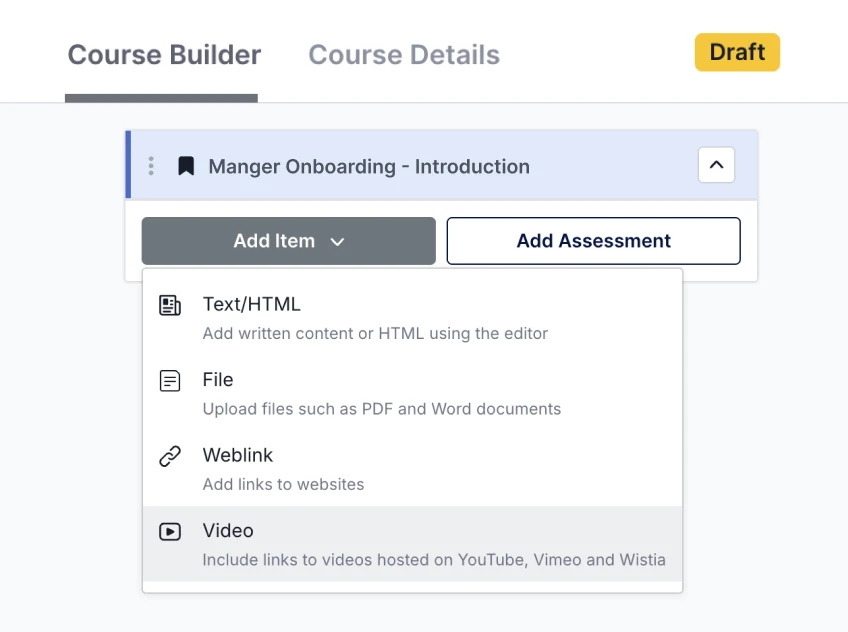
Build your own multi-step courses from your own articles, videos, files and assessments, for the training only your organisation can write, such as your escalation pathways, a clinical procedure, or an orientation to each of your homes.
Bring in courses you have already built or bought elsewhere as SCORM files, and assign them through the same training plans as Library content.
Discover Ausmed Learn™Ausmed Library™ holds more than 500 aged care resources, written and maintained in Australia under Ausmed's T.R.U.S.T.E.D. governance framework. Each resource carries its learning objectives, references and a review date, which shows how current a module is before you assign it.
Filter the collection by Standard and action to find what covers each core matter, then assign it through the same training plans as your own courses. Your time goes on the training only your organisation can write.
Explore the Aged Care Library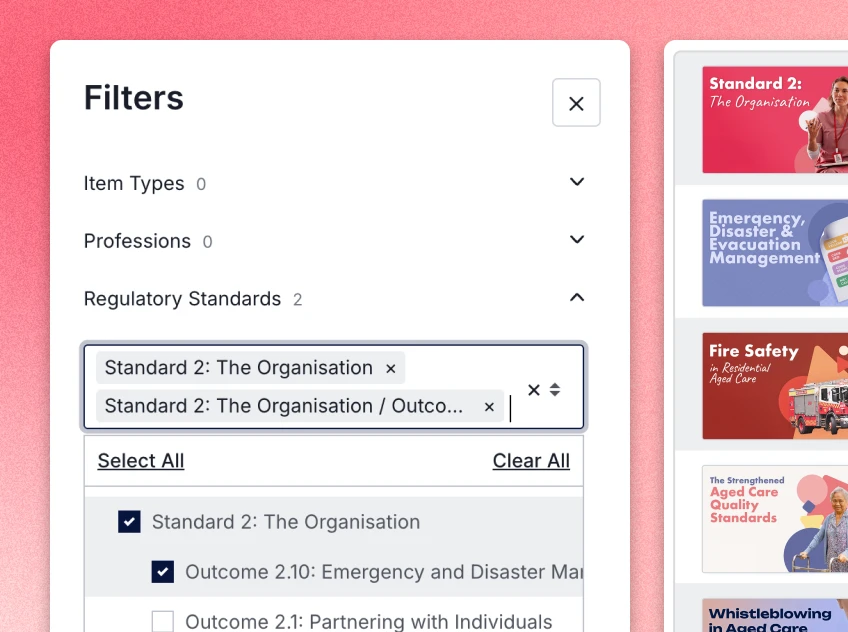
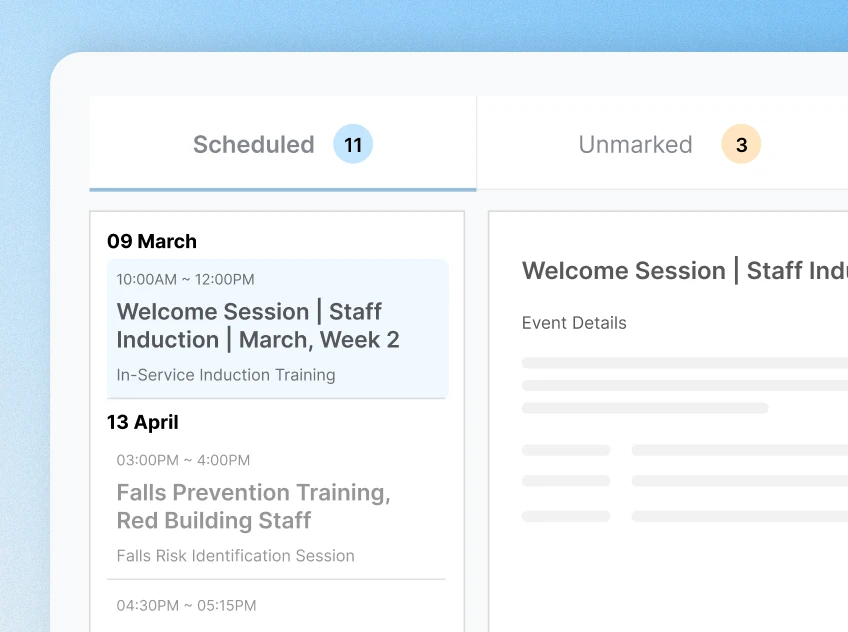
Ausmed Events puts every face-to-face session on one calendar, with venues and facilitators set up once. Staff enrol themselves, with their manager's approval where you require it, and a full session keeps a waitlist.
Facilitators mark attendance on a phone, and Ausmed writes it to the worker's record. A fire drill or a manual handling session then counts toward the same compliance history as a module.
Practical activities sit in the worker's training plan next to the online modules, and a competency sign-off completes the matching activity.
See in-person training
Clinical educators at Baptcare use Ausmed modules in face-to-face toolbox sessions. Managers assign targeted training as needs come up, and staff use the platform for their CPD.
The modules run from 5 to 30 minutes in plain language, which suits a diverse workforce.
Read the Baptcare story
Assign mandatory training and induction by role and site, and let the system send the reminders.
Learning management
Face-to-face sessions, attendance and competency sign-off in the same record as online learning.
In-person training and assessments
Completion, overdue and Standards coverage by site and role, with no spreadsheet to rebuild.
Compliance reportingBring your training matrix, however it's kept today, and we'll show you what it looks like as training plans across your sites.
Yes. You assign your own documents, videos and SCORM packages through the same training plans as Library content, so you aren't choosing between your material and ours.
Yes. Ausmed delivers Ausmed Library™ modules as SCORM packages into the LMS you already run, so staff keep signing in where they do now. If you later move to Ausmed Learn™, you assign the same content through training plans.
Training modules have closed captions in eight languages besides English: Arabic, Chinese (Simplified), Greek, Hindi, Italian, Punjabi, Tagalog and Vietnamese.
No. Ausmed's governance team chooses the eligible modules, starting with lower-risk topics, and the list grows over time. Staff still complete higher-risk training such as SIRS in full.
Ausmed is a Trusted Information Partner of Healthdirect Australia. Verify here.