

Ausmed is a Trusted Information Partner of Healthdirect Australia. Verify here.


© 2026 Ausmed Pty Ltd (ABN: 33 107 354 441)
For aged care providers training across residential homes, community teams and job roles. Ausmed assigns what each role requires from the day a worker is added, sends reminders, escalates overdue training to managers, and holds the record you'll be asked to produce.
Book a walkthroughMost providers keep the map of who needs what in a spreadsheet, then rebuild it by hand in the LMS. Across ten homes, with casual staff, agency cover and new starters every week, the spreadsheet and the system drift apart.

The training matrix sits in a file and someone rebuilds it by hand in the LMS, so a role change updates only one of them.
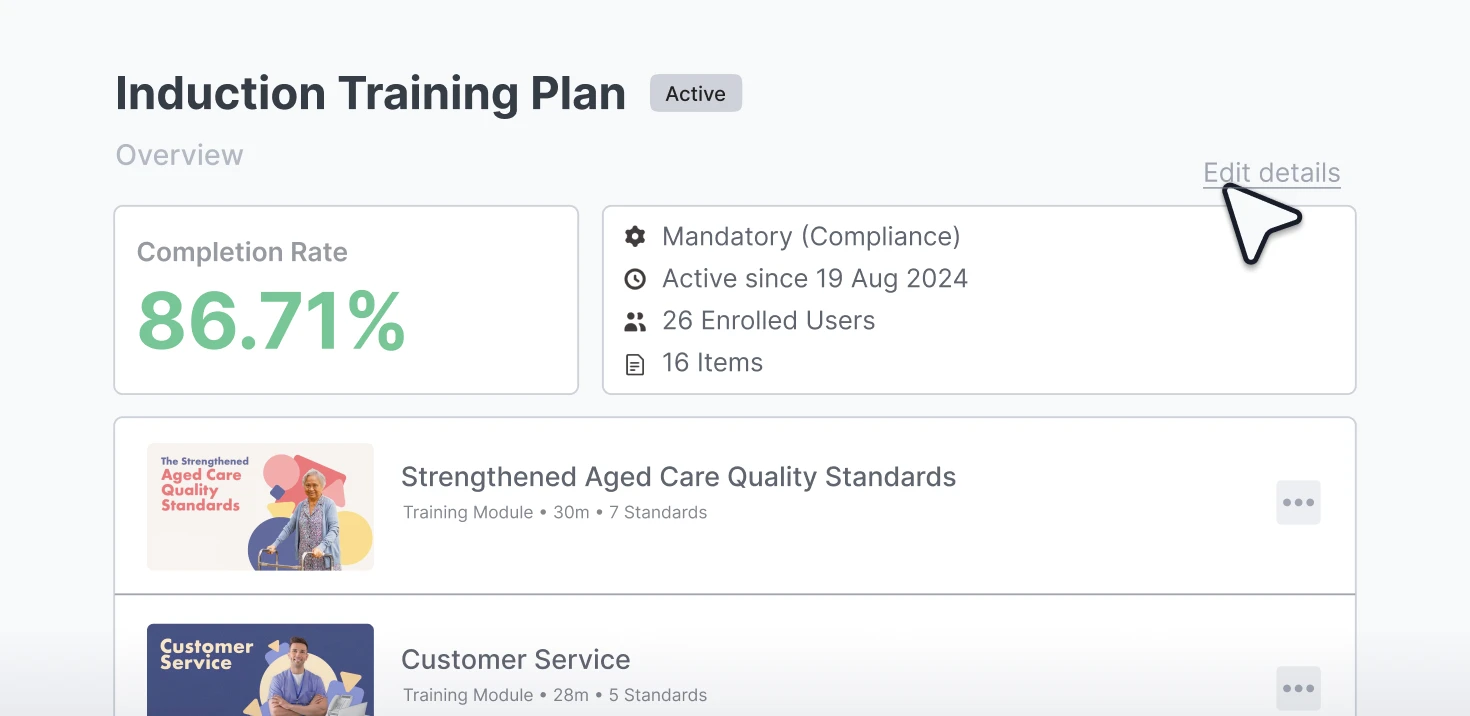
The matrix is the training plan, so there is one copy to keep current.

Refreshers set to one calendar date retrain the whole workforce at once, on a roster that's already short.
Recurring assignment can run from each worker's enrolment date or their last completion, which spreads the load across the year.

Induction starts when someone remembers to set it up, and until then a new care worker has nothing assigned.
With user sync from your HRIS, Ausmed enrols them in their induction plan by role and location the day they're added.

Someone exports the overdue list and emails managers home by home, and it's out of date when it lands.
Reminders go to the worker as training falls due and escalate to their manager once it's overdue. The Workroom lists whatever is still open.

A worker clicked through the module, and the record can't say what they took from it.
Knowledge Verification asks questions drawn from the module's learning outcomes, so a pass tells you what the worker knows as well as that they finished.

A registered nurse with fifteen years in aged care sits the same annual module as a new graduate, and the hours are paid either way.
On eligible modules she can pass a short Knowledge Verification check, and Ausmed marks the module complete.
Induction, annual refreshers and training after an incident often sit in different spreadsheets with different owners. Run them as training plans by job role, team and location, and they share one set of rules and report into the same record.
See it with your own rolesAusmed enrols new starters in their induction plan by job role and location the day they are added, so nobody has to remember to set it up.
Refreshers repeat on the cycle you set, from a fixed date or from each worker's last completion, with reminders before the due date and again when it passes.
Assign person-centred care, cultural safety, dementia, medical emergencies, the Code of Conduct and SIRS online, and run the practical sign-off in person.
Assign a targeted requirement to the people involved, with a short due date and a completion record the same week.
Build a home's own procedures as a course and assign them with the same rules as Library content.
Change a worker's role or site in your HR system and their requirements change with it.
Training plans enrol staff by job role, team and location, and repeat on the cycle you set. Start from a template or build your own.
Joyce Nyanjiru, Residential Care and Services Manager, Baptcare
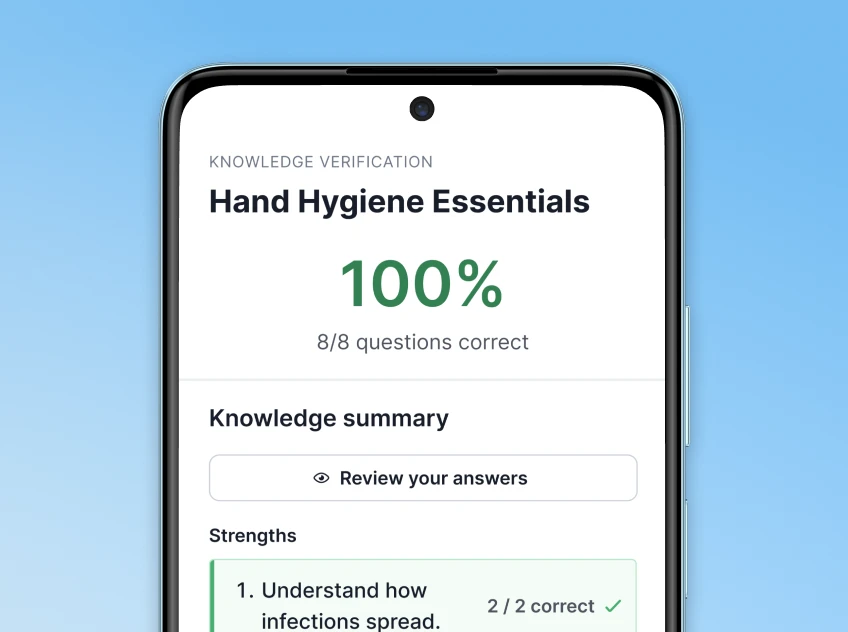
Knowledge Verification (KV) gives staff a short check against a module's learning outcomes before they start it. Pass, and Ausmed marks the module complete with a learning record behind it. Don't, and they do the module.
Either way you hold evidence of what the worker knows, which a completion tick doesn't give you.
Ausmed's governance team chooses the Library modules that KV runs on, predominantly lower-risk topics.
Mandatory modules are one part of induction. Ausmed Perform™ runs the rest as a program: check-ins at set points, a probation review, and feedback from the people a new starter works with.
Maroba, a residential provider with more than 220 employees, loads new employees into two programs automatically when they start, with probation checkpoints at week three, week eight and month six.
Performance and supervision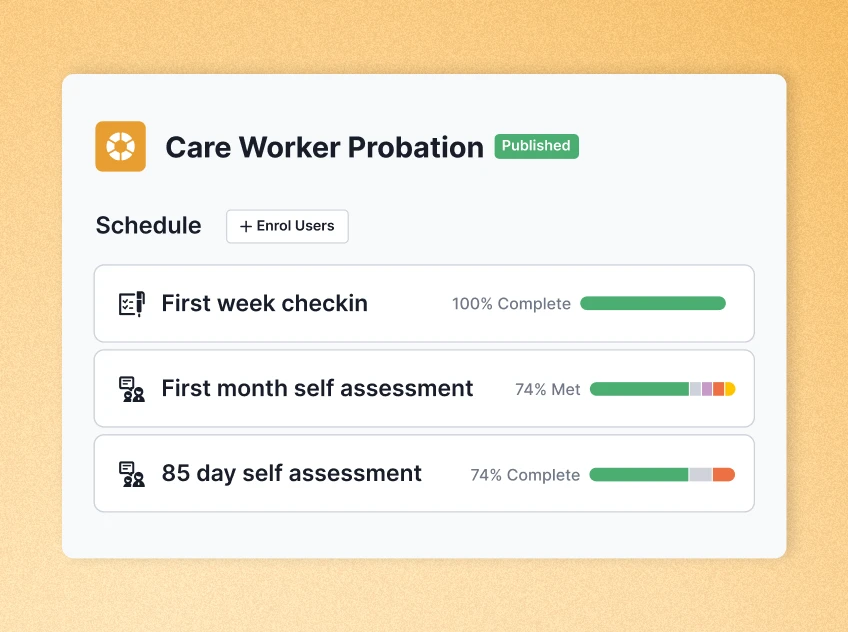
Training plans by role, team and location, reminders, Knowledge Verification and the compliance record behind them.
Ausmed Learn™Aged care content filtered by Standard, including induction and annual mandatory training for residential and home care.
Ausmed Library™Induction and probation programs that run alongside the training plan.
Ausmed Perform™Action 2.9.4 asks for a training system with strategies behind it that respond to what happens in your homes.
The provider maintains and implements a training system that … c) is responsive to feedback, complaints, incidents, identified risks and the outcomes of regular aged care worker performance reviews.
A performance review is often where a gap first shows. In Ausmed Perform™, the manager records the review against the worker and decides the response: assign training in Ausmed Learn™, assign a practical assessment in Ausmed Competency™, or set a goal to track at the next review. The review and the response sit on the same worker’s record, both dated.
Discover Ausmed Perform™The 2027 Training Plan Benchmark Tool sets your mandatory training against what other aged care providers require. It shows where you train more often than most, and where you may be short, before you set next year's plan.
Request the benchmark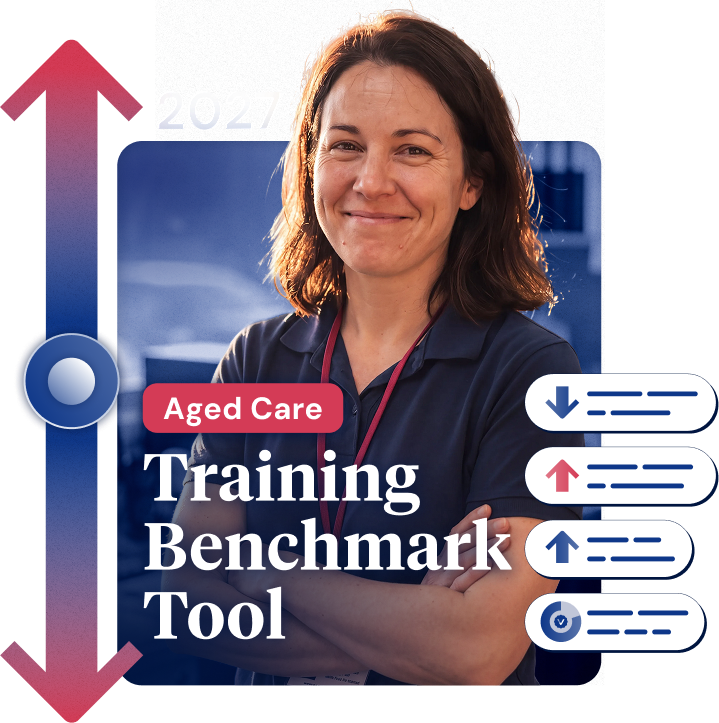
Bring your training matrix, and we'll show you what it looks like as training plans in Ausmed.
Yes. Training plans enrol by job role, team and location, so a home or a community team can carry its own requirements on top of what the role needs.
Dashboards and exports filter the same way, showing overdue and due-soon training by site, team or role.
It can. User synchronisation feeds job role, location and manager into Ausmed from your HR or rostering systems, and adds, moves and removes users.
A new starter's training then follows from their role, with nobody having to remember to set it up. We scope integrations with your team.
From the Workroom, which shows staff who haven't completed training by the due date. Managers can send a reminder, give an extension, mark an item complete or skip it, without exporting a list.
The Compliance reporting page covers this in more detail.
Yes. Build your own courses, or upload SCORM packages, videos and documents, and assign them through the same training plans as Library content. Your procedures sit in the same record as everything else.
Ausmed is a Trusted Information Partner of Healthdirect Australia. Verify here.