

Ausmed is a Trusted Information Partner of Healthdirect Australia. Verify here.


© 2026 Ausmed Pty Ltd (ABN: 33 107 354 441)
Ausmed enrols staff from your HR system, brings annual training back on schedule and escalates reminders to managers. Staff who know a topic can pass a Knowledge Verification pre-test in place of the module.
Book a walkthroughStaff turn over and requirements grow, but your education team often stays the same size. Every hour spent chasing, or repeating what clinicians already know, comes out of teaching and time on the floor. In Ausmed, you set the rules for assignment and follow-up once, and they run from there.

Overdue notices go to staff, then an educator follows up with each line manager by hand. Next month's list is out before the last reply.
Reminders escalate to the manager when training goes overdue, and managers get reminders about their team's open, due and overdue tasks.

Nobody assigns the training to new starters, role changes and casuals added outside the usual process, and a completion report won't show them.
User sync from your HR system adds, moves and removes people in Ausmed, and enrols them in the plans for their job role and location.

The hospital assigns the annual program in full to every clinician, including the ones who could pass it before opening the module.
Knowledge Verification puts a pre-test in front of eligible modules, and a clinician who passes has met the requirement.

Each site or specialty writes its own falls prevention or aseptic technique module, and someone has to maintain every copy.
Build one version in Course Builder, or assign the Ausmed Library™ module, and every site gets the same course through its training plans.

Compliance data sits in more than one system and a spreadsheet, and pulling it together for accreditation or licensing takes days.
Ausmed reports compliance by NSQHS Standard, team, role and location from the record, ready to export.

One site runs a topic every year, another runs it once at induction, and neither can say why.
Recurring assignment sets how often each requirement comes back in the training plan, and the same rule applies at every site.
Senior clinical executive, private day hospital group, 39 sites
Once training plans take over assignment and reminders, educators stop doing that work by hand, and the required content stays as it was.
See it with your own programTraining plans set what each job role and location has to complete, so nobody gets a module that doesn't apply to their work.
New starters, role changes and leavers flow in from your HR system, and their training follows them.
Ausmed reminds staff as training falls due and goes overdue, and escalates the reminders to their manager.
Build a course once in Course Builder and assign it to every site, in place of a copy per unit.
Give casual and agency staff a shorter onboarding plan, separate from the full induction.
Recurring assignment brings each annual requirement back on its own cycle, and nobody re-enrols the hospital each year.
When your HR system says a person is a registered nurse in theatres at a particular site, user sync brings them into Ausmed Learn™, and enrols them in what that role and location require.
When they move units or leave, their training changes with them. Recurring assignment brings annual requirements back on the cycle you set.
Reminders go to staff as training falls due and escalate to their manager when it goes overdue.
Only exceptions reach the educator, and the Workroom handles them on one screen. Grant an extension, mark a requirement complete with evidence, or skip one that doesn't apply.
How Ausmed Learn works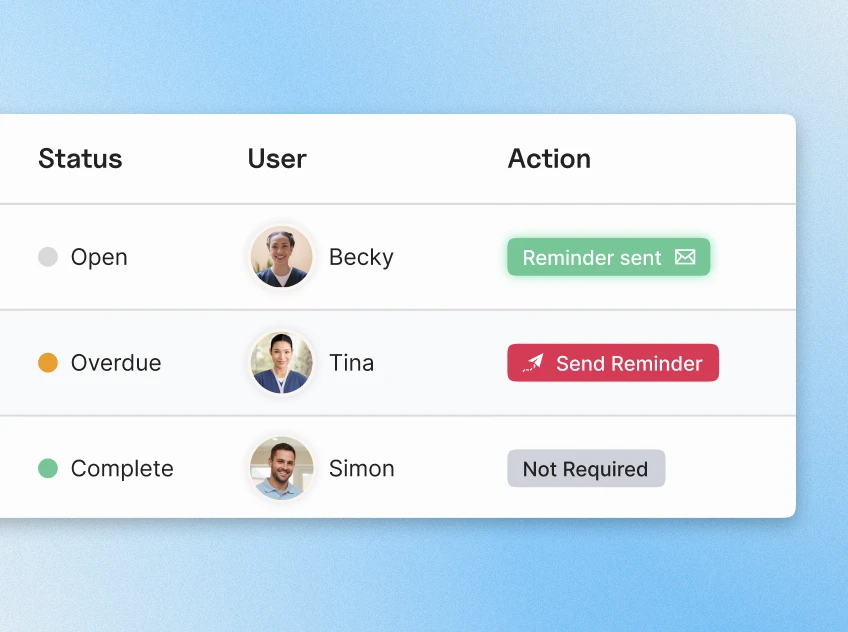
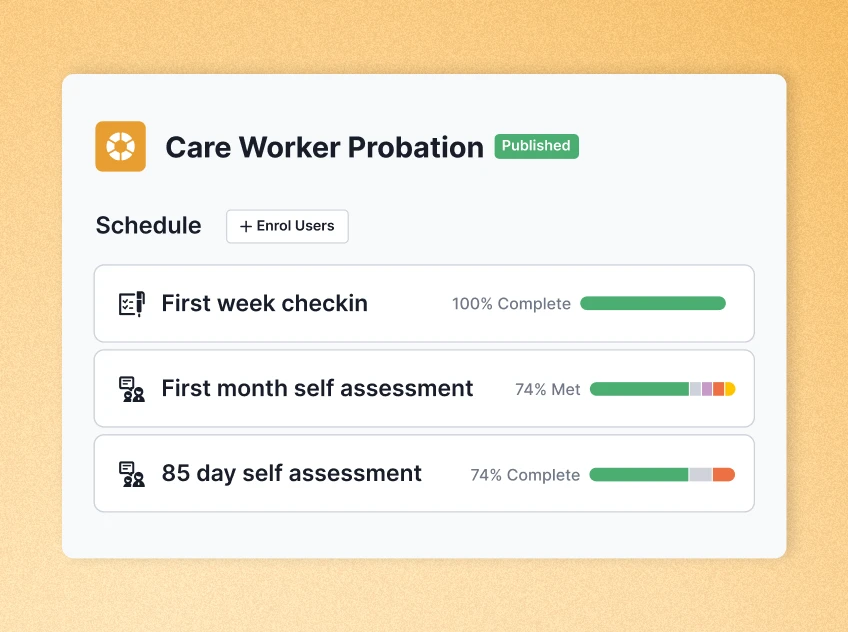
Set up a supervision program once in Ausmed Perform™. Annual, twice-yearly or quarterly reviews, or a once-only program for probation, a graduate year or a move into a new specialty.
Ausmed Perform issues each review on time and reminds the people involved, so no manager has to keep a diary of who is due. Organisation-wide templates and a question bank give every ward the same review.
Managers see what is due and overdue in one place, and reports filter by team, location, job role and manager.
Discover Ausmed Perform™Every module is paid time. One extra hour across a workforce of 1,000 is 1,000 paid hours before anyone has covered a shift.
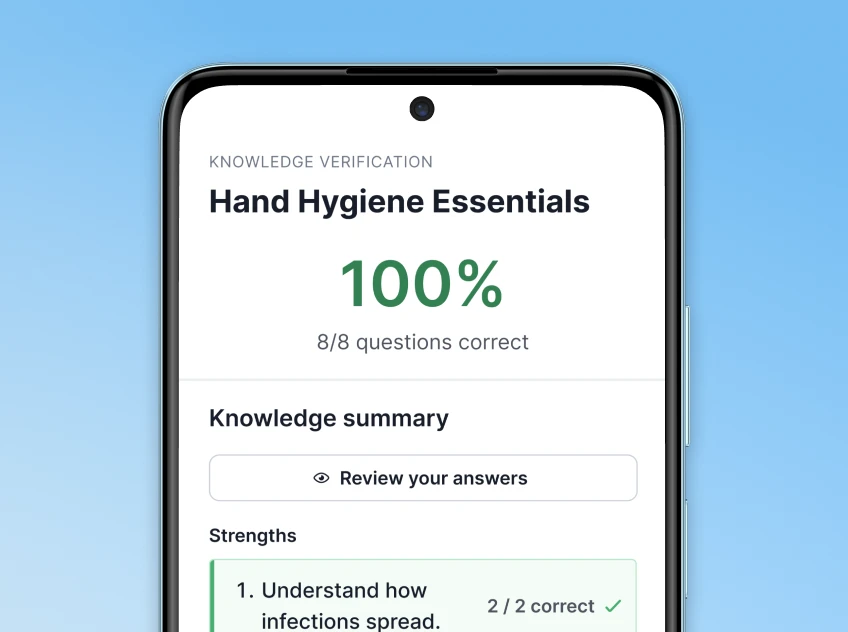
Knowledge Verification puts a short pre-test in front of an eligible module. A clinician who passes has met the requirement and goes back to the floor. One who doesn't completes the module as usual.
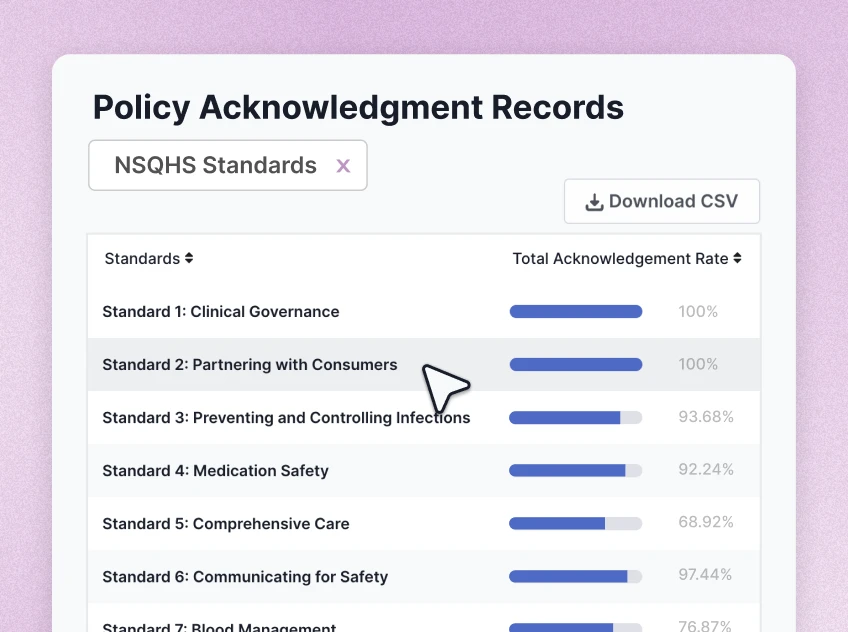
Ausmed Policy™ assigns policy acknowledgements automatically to staff who join through an integration or an invitation. A new starter doesn't wait for someone to remember to add them to the policy list.
Ausmed records each acknowledgement against the person and the version they read. When you revise a policy, reminders follow up the staff who haven't acknowledged the new version, and nobody in the education team has to send them.
How Ausmed Policy worksOnce you set up a HR integration (optional) and training plans, the program runs without an educator touching it. The educator's time goes to teaching and assessment.
| Area | Who it reaches | What Ausmed does automatically |
|---|---|---|
| Joining, moving and leaving | Everyone in the HR or roster integration | Adds, moves and removes staff, with job role, location and manager |
| Training assignment | Staff, by position | Enrols staff in the training for each role |
| Annual requirements | Staff, by training plan | Re-assigns each requirement on the cycle you set, with no re-enrolment |
| Training reminders | Staff, then their manager | Sends email reminders as training falls due, and escalates to the manager when it goes overdue |
| Manager reminders | Line managers | Sends reminders about their team's open, due and overdue tasks |
| Probation and appraisal reviews | Staff and their managers | Issues each review on the program's schedule and reminds the people involved |
| Policy acknowledgement | New starters | Assigns policies to staff who join through an integration or an invitation |
| In-person sessions | Attendees and approvers | Reminders are sent out automatically 7 days & 24 hours before an event. When an enrolment requires approval, these requests are automatically sent to the relevant direct, team or location managers for actioning. |
Enrol staff by position from your HR data, bring training back on schedule, escalate reminders to managers and offer Knowledge Verification on eligible modules.
Ausmed Learn™Run probation, appraisal and catch-up programs on a schedule, with each review issued on time and reminders to the people involved.
Ausmed Perform™Assign policy acknowledgements to new starters as they join, and record them against each person.
Ausmed Policy™Action 1.20 asks for a mandatory program that meets your requirements arising from the Standards, but it names no hours and no frequencies.
The health service organisation uses its training systems to:
a. Assess the competency and training needs of its workforce
b. Implement a mandatory training program to meet its requirements arising from these standards
c. Provide access to training to meet its safety and quality training needs
d. Monitor the workforce’s participation in training
That leaves room to cut repeat time and keep the evidence. Ausmed records a Knowledge Verification pass against the clinician, so the check of what they already know is part of the record.
Recurring assignment holds the frequency you chose for each topic. The participation report runs from the same record on the day someone asks for it.
What an assessor asks to seeShow us how your hospital assigns and chases training today, and the hours it takes. We'll show you which of those steps Ausmed runs on its own.
We don't publish a savings figure. It depends on how much of your program is eligible for Knowledge Verification, how much content you maintain yourselves and how long your current modules are.
We can work it through with your own training list and hours.
Ausmed Learn takes job role, location and manager data from your HR or roster system to drive enrolments, and supports single sign-on through your identity provider. Tell us what you run and we'll confirm how the integration works with it.
A separate onboarding plan can cover casual and agency staff, so they have a set of requirements of their own. How you add them depends on whether they come through your HR system.
No. It is available on eligible modules, and you decide where to use it. Many hospitals will want high-risk topics completed in full each cycle, and that stays your decision.
Ausmed is a Trusted Information Partner of Healthdirect Australia. Verify here.