

Ausmed is a Trusted Information Partner of Healthdirect Australia. Verify here.


© 2026 Ausmed Pty Ltd (ABN: 33 107 354 441)
For nurse educators and clinical governance leads. Ausmed Competency™ puts your own assessment tools in an app on the ward. You see, ward by ward, who is signed off on each procedure, who never was and for whom reassessment is due. A Not Yet Competent result stays on record until the follow-up is complete.
Book a walkthroughA hospital writes a procedure once. Staff carry it out thousands of times, and different assessors signed them off at different times, on different versions of the form. On paper the drift stays hidden until something goes wrong.

A Not Yet Competent result written on paper can take weeks to reach the rostering system, up to a month in some hospitals. The clinician stays rostered for that task the whole time.
The result is on their record as soon as the assessor saves it, where the manager allocating shifts can see it.

The hospital revised the procedure last year, and the sign-off on file is against the version before.
Ausmed Policy™ records who acknowledged the revised version, and you assign a fresh assessment to the roles it affects.

A new starter is working on assumed competence, or a reassessment due in spring passed without anyone noticing.
You assign competencies by role and they come back when they fall due. Anyone without a current sign-off shows as outstanding, with reminders that escalate to their manager.

When a clinician fails a reassessment, the assessor sets the form aside and redoes it later, and the evidence of drift goes with it.
The Not Yet Competent result stays in the person's assessment history, and the action log records what was done next.

Sign-off should come from an assessor who holds the skill, but on paper whoever is on shift signs the form.
Approve assessors per competency in Ausmed Competency™, and only they can record the result.

Each unit keeps its own photocopied form for the same procedure, and two clinicians signed off as competent can do it two different ways. In an emergency, that shows up as disagreement at the bedside.
Build the assessment once, assign it to every ward, and compare results by team and location on one dashboard.
Acting Learning and Development Manager, regional private hospital
Your educators' competency tools become digital assessments in Ausmed Competency™, criterion by criterion. Ausmed doesn't supply acute templates, so these are your tools, written for your procedures and your equipment.
Set which roles need which competencies, who you approve to assess each one, and the window it is due in. Recurring assignment brings each one back on its cycle.
The assessor records Competent or Not Yet Competent in the assessor app, with comments. The sign-off carries their name and a date and time stamp, with an optional co-signer.
A Not Yet Competent result goes into the action log and links the person to the training that addresses the gap. Every result shows on the Competency dashboard.
The assessor records the result where the assessment happens, so the record shows who assessed, when, and what they wrote. Nobody keys in a pile of forms at the end of the month, and the administrator never appears as the assessor.
You assign assessors per competency. If your rule is that only staff who are competent in a skill can assess it, set the assessor list for that competency to match.
How Ausmed Competency works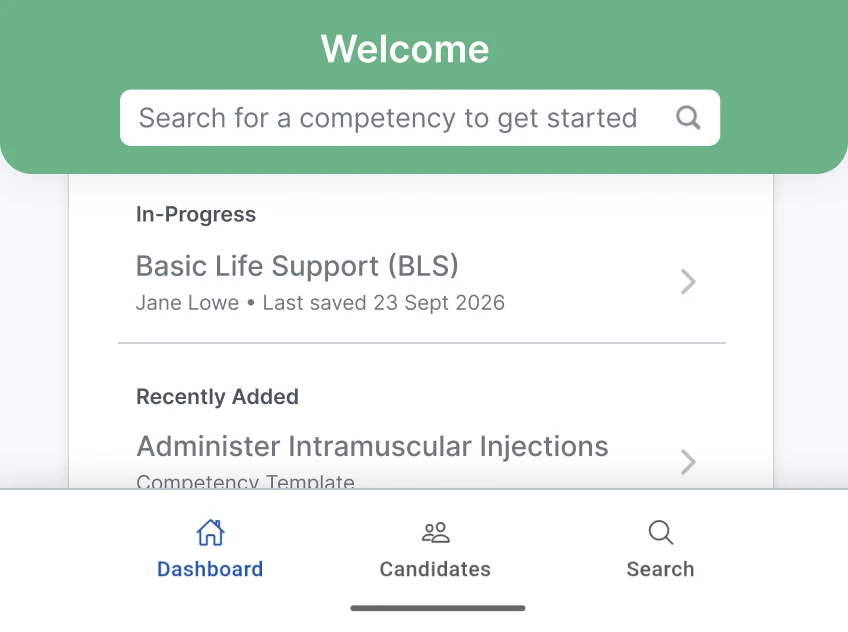
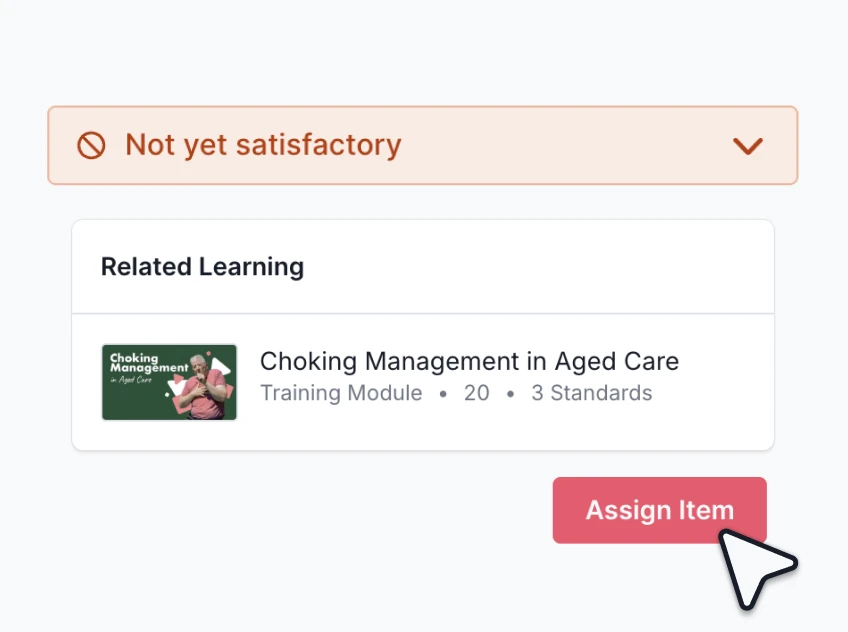
Ratings are binary: Competent or Not Yet Competent. When a nurse doesn't pass, the assessor records the result against them with comments, and the action log holds what happens next, such as the linked training and a reassessment date.
The first attempt stays in their assessment history beside every later one. The record shows there was a point when they weren't yet safe to do it alone, and when that changed.
Compare results across teams, and you can see where a procedure is going wrong on one unit.
Quality and safetyThe same system covers procedure sign-offs, equipment competency, graduate consolidation, preceptor observation rounds, return-to-practice checks and remediation. Each has a different assessor and a different occasion, and all of them sit against the same person.
Recurring assignment and due windows bring an assessment back when it falls due, so being current is a date on the record and nobody has to remember it.
Learning Management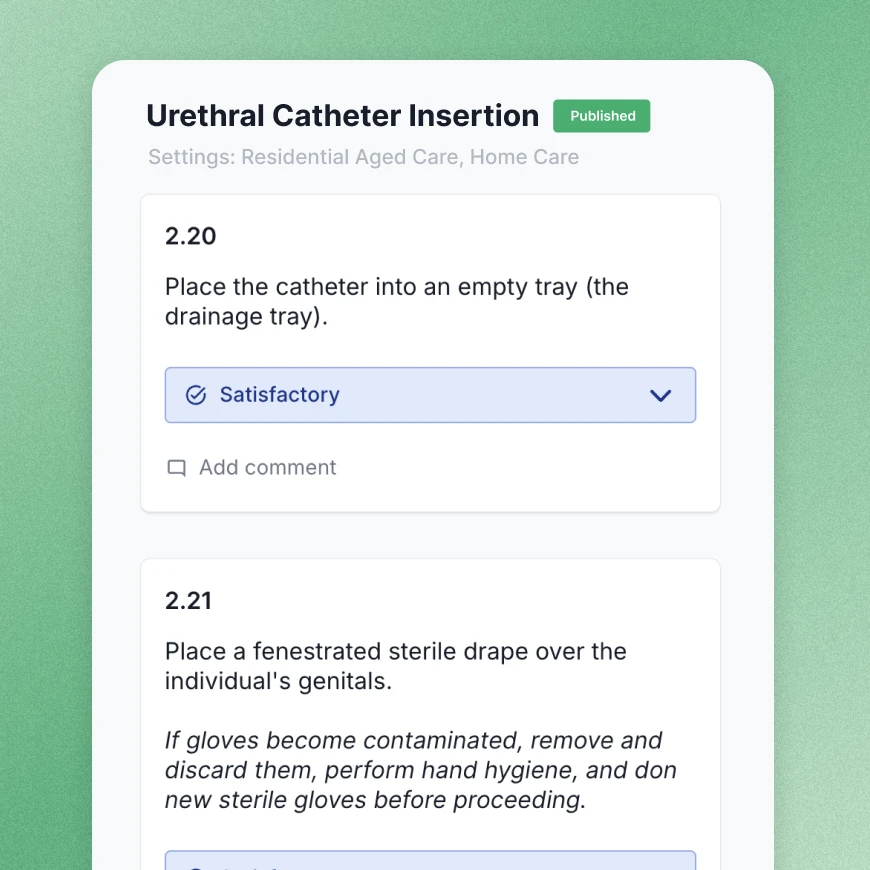
 NSQHS Standards, second edition
The Clinical Governance Standard asks each health service to use its training systems for four things, and assessing competency comes first.
The health service organisation uses its training systems to:
a. Assess the competency and training needs of its workforce
b. Implement a mandatory training program to meet its requirements arising from these standards
c. Provide access to training to meet its safety and quality training needs
d. Monitor the workforce’s participation in training
In Ausmed, every sign-off sits against the person, beside their training, and on the Competency dashboard.
Under short-notice assessment you may have one business day. Filter the dashboard to the ward being visited, and you can show who is currently Competent on the procedure the assessor asks about. The assessor and date sit behind each result.
NSQHS re-accreditationYour assessment tools carry over as written. The record each sign-off leaves now names the assessor who signed it and keeps a Not Yet Competent result against the person, where paper lets both slip.
| On paper | In Ausmed Competency™ | |
|---|---|---|
| Who appears as the assessor | Whoever entered the form | The assessor who signed it, with date and time |
| Not Yet Competent results | Often set aside and lost when the assessment is redone | Recorded against the person and kept |
| Follow-up after a Not Yet Competent result | A note in the folder, if anyone writes one | An entry in the action log, linked to training |
| Where the record lives | A folder on the ward, or a scan uploaded somewhere | Against the person, reportable by team, role and location |
| Knowing who is current | A spreadsheet someone keeps up to date | A dashboard of results, with reassessment brought back on its due date |
| Who approves assessors | Whoever is on shift | Set per competency |

Run education and training programs, and hold each competency sign-off against the learner.
Learning Management
Treat a Not Yet Competent result as an early signal, ahead of an incident.
Quality & Safety
Have competency evidence ready for a short-notice assessment without collecting folders.
Audit preparednessBring one paper competency tool you use today and we'll show you what it looks like as a digital assessment, and the record it leaves behind.
Hospitals set up their own assessments in Ausmed Competency™, which keeps the tools your educators have already written and approved.
No. Only the assessor uses the assessor app. The person being assessed doesn't need to log in to anything during the assessment.
You decide, per competency. Assessor assignment sits on the competency, and you can limit sign-off to staff who are competent in the skill themselves or who have completed your assessor course.
Each result sits against the person and on the Competency dashboard, which filters by team, role or location. You can show an assessor who is currently assessed for a given competency without collecting folders from every ward.
Ausmed is a Trusted Information Partner of Healthdirect Australia. Verify here.